
How do I reset my password?Updated 4 days ago
1. Head to our website and click the 'My account' icon in the top right, then select the 'Lost password? Recover password' option.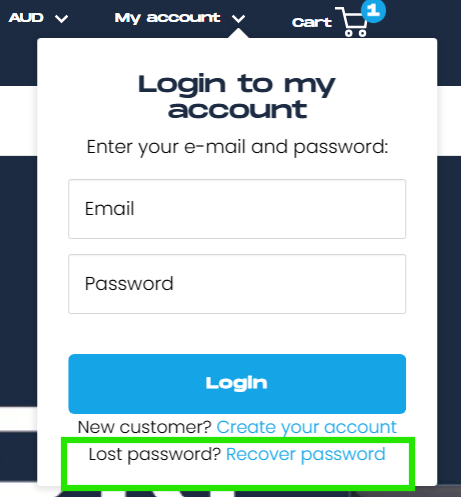
2. Enter your account email and click 'Recover'.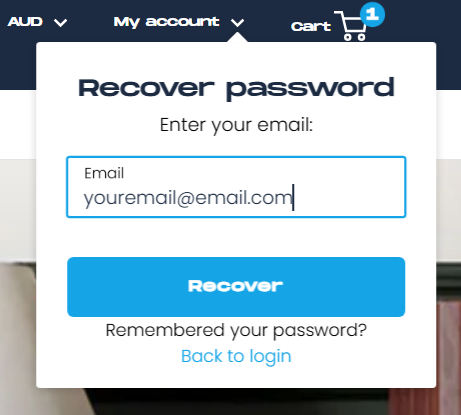
3. Follow the link in the email we send to set a new password.
If the password reset email doesn't arrive, please check your spam folder or contact us at [email protected].